
Tablets are interesting. They are that mid-step between a phone and a laptop that sounds really great on paper, but tends to end up on a shelf or in a drawer after a few months of novelty.
I’ve seen plenty of people who use theirs all the time, but for me and anyone I talk with on a regular basis, tablets just don’t factor into our daily formula. From what I hear, the youths (yes, I’m old) have been much more comfortable with tablets as a daily object for years now, but I don’t know about you, but I could swear they use their phones for everything, not their tablets.
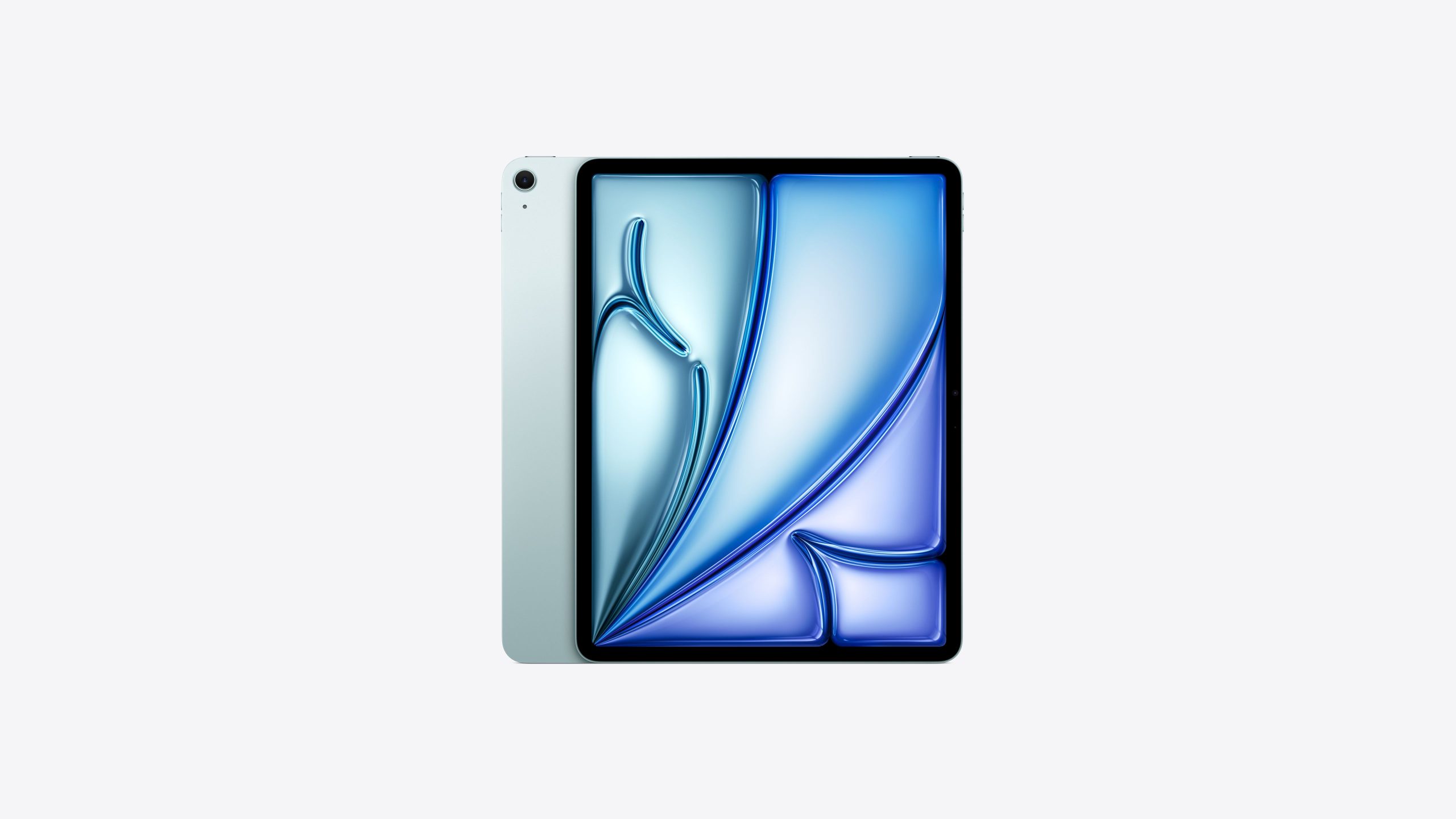
So here’s the question: If I were to really put the effort into trying to incorporate a tablet into my daily life, could I find one that legitimately made things easier or better, or are all tablets just half-steps that we simply don’t need, but have been told should be an essential part of our lives? I decided to give it a shot, and if I was going to really lean into this attempt, it would obviously have to be the most popular brand, Apple.
iPads Are Expensive
So yeah, these things cost a fortune. I looked at the Pro models initially and could practically hear my bank account crying as I looked for one in my price range. Ok, so the iPad Pro is out if I want something current. I eventually found my way to the iPad Air section and breathed a sigh of relief. They aren’t cheap, but they aren’t over a grand so I’ll call that a win. The base model clocks in at $599. After looking over those iPad Pro prices, that “5” really felt nice, but don’t forget, that’s really a $600 device right there so it’s still not cheap. Then I had to have the Apple pencil. As a creative that’s practically a must-have, so that’s another $79 if I’m willing to deal with having to plug it in to recharge it… nah, I need the easy magnetic charge, so that’s $129. Even going with the smallest screen, the smallest storage and no protection plan, that brings us to $729. Holy smokes.
Alright, I committed to this experiment so I hit buy and stepped back to wait for my new space-aged tablet to arrive. Time to adjust my budget for the next few months.
A Quality Device
The day had come, my iPad arrived. In true Apple form, the packaging was on point. A slick box with a big print of the device on the front, easy-tear tape on the sides, a nice slipcover revealing the tablet at the very top with a tab to help you pull it out. Just cracking into the box makes you feel like the cost might have been reasonable.
Once everything was unpacked, the usual setup pipeline began. It says hello, asks you for your language, time zone, WI-FI etc. That stuff is pretty simple and the immediate hand-holding is always appreciated. Once I was all set up, downloading a few apps was easy and then it was time to unbox and pair the Apple Pencil. It feels good in the hand and pairs pretty much automatically. There was enough charge in the stylus to really start playing with it right away and the reviews weren’t wrong, it feels great. Smooth writing and clean lines … it’s a high-end device.
Speaking of things feeling high end, the iPad is a very satisfying product to hold. It’s light as a bag of feathers, my 11 inch model weighing in at about 460 grams (that’s just about 1lb for those of you who don’t speak metric) and it just feels good in the hand. The aluminum body is cool to the touch, pleasantly textured and the glass screen feels sturdy and looks fantastic with the liquid retina display. This is something Apple has always been good at, they build devices that feel good and look good. They charge an arm and a leg, but when you get your hands on an Apple product, you almost think “Eh, who really needs two arms and two legs anyways!”
Performance
So, I’m going to be reviewing this mostly as an art tool, so let’s get the non-art stuff out of the way real quick. First and foremost, iOS is pretty slick. The UI is clean, the touch response is lightning fast, the little wiggles and other visual feedback from moving things around tickles something in my brain just right. Breezing through the settings and adjusting things to my liking was a snap, and I was in the app store pulling down the apps I needed to get moving in no time. I usually work in Clip Studio, so I got that installed, I grabbed a few games, some custom note-taking apps, a D&D app or two for keeping track of my rolls and characters, the standard array of subscription apps, Amazon etc etc. It was about 45 minutes of tapping and installing to get everything I wanted in place. Streaming video is as easy as it should be (honestly, if someone is using video streaming quality as a major selling point for a modern device at this point then you should probably be wary. That is basically a standard feature any device needs to be relevant nowadays.) The games ran real smooth, and I even pulled down Fortnite (I know I know, I’m too old for Fortnite) and it ran really well! Everything was smooth sailing, so now it’s time to fire up my art program and get to work.
The iPad as an Artist’s Tool
Let me start by saying this, I am a desktop PC guy. I like having my big battle station with a big tablet and my chunky Wacom stylus. Drawing on a small surface with a pencil-sized stylus was always going to take some getting used to, so I’m going to leave that learning curve out of the equation here. Once I got used to it, the drawing experience was fantastic. I didn’t want to admit it, but my goodness does this thing feel good to draw with! There is juuuuust enough friction between the Apple Pencil and the screen to avoid feeling “slippery” and the responsiveness is out of this world. I whipped up a few quick doodles and I was immediately sold. The only issue I have with drawing like this is the lack of keyboard shortcuts. My left hand felt… empty without the need to hover it over “CTRL+Z.” Getting used to art apps designed for a mobile workflow will most certainly be a consideration when starting on a new tablet, but honestly, it’s a joy to work on. The display is incredibly clear and the parallax (the space between the tip of your pen and the actual line being drawn, or the thickness of the glass) is minimal and easy to adjust to. That M1 chip is doing some heavy lifting as everything ran extremely well until I really started ratcheting up the layer count and resolution. You’ll need to keep your files somewhat lean if you want to work on a tablet, but that’s just part of the experience. If you’re looking for a tablet as an art tool, I highly recommend the iPad air.
TL:DR Specs
Here are the specs for those of you looking for a quick read!
- Chip: Apple M2
- Display Sizes: 11″ / 13″
- Resolution: 2360×1640 / 2732×2048
- RAM: 8GB
- Storage: 128GB (as the base amount)
- Rear Camera: 12MP
- Front Camera: 12MP ultra-wide
- Battery Life: about 10 hours
- Weight: 462g / 677g
- Connectivity: Wi-Fi / optional 5G
- Port: USB-C
- Security: Touch ID
To Buy or Not to Buy
Is the iPad Air right for you? Honestly, if you’re not using it for something seriouis like work, art or networking I can’t rightly recommend it. I know it’s a status symbol and all, and everyone seems to want one of these, but it’s just so expensive for something that just does what a phone does, but bigger. If you are looking to use it for art, or if you’re using it for school or business, yes, I can recommend this tablet. Just know that it’s very easy to let the cost go through the roof once you start adding storage and features. It’s not worth a line of credit just to have an iPad, but if you can afford it, it’s a fantastic device!
About the Author:
George Berger
Ever since a young George was disappointed with a toy that did match up to the advertising, he became a tireless advocate for consumers. He’ll review anything that folks have to spend their hard-earned dollars on. George is grateful that he gets to use his skills as a writer and an artist to help connect with consumers and help them make the best decisions possible.
This article is for informational purposes only and reflects the author’s independent opinion. Readers should verify details directly with the manufacturer or retailer before making a purchase decision.