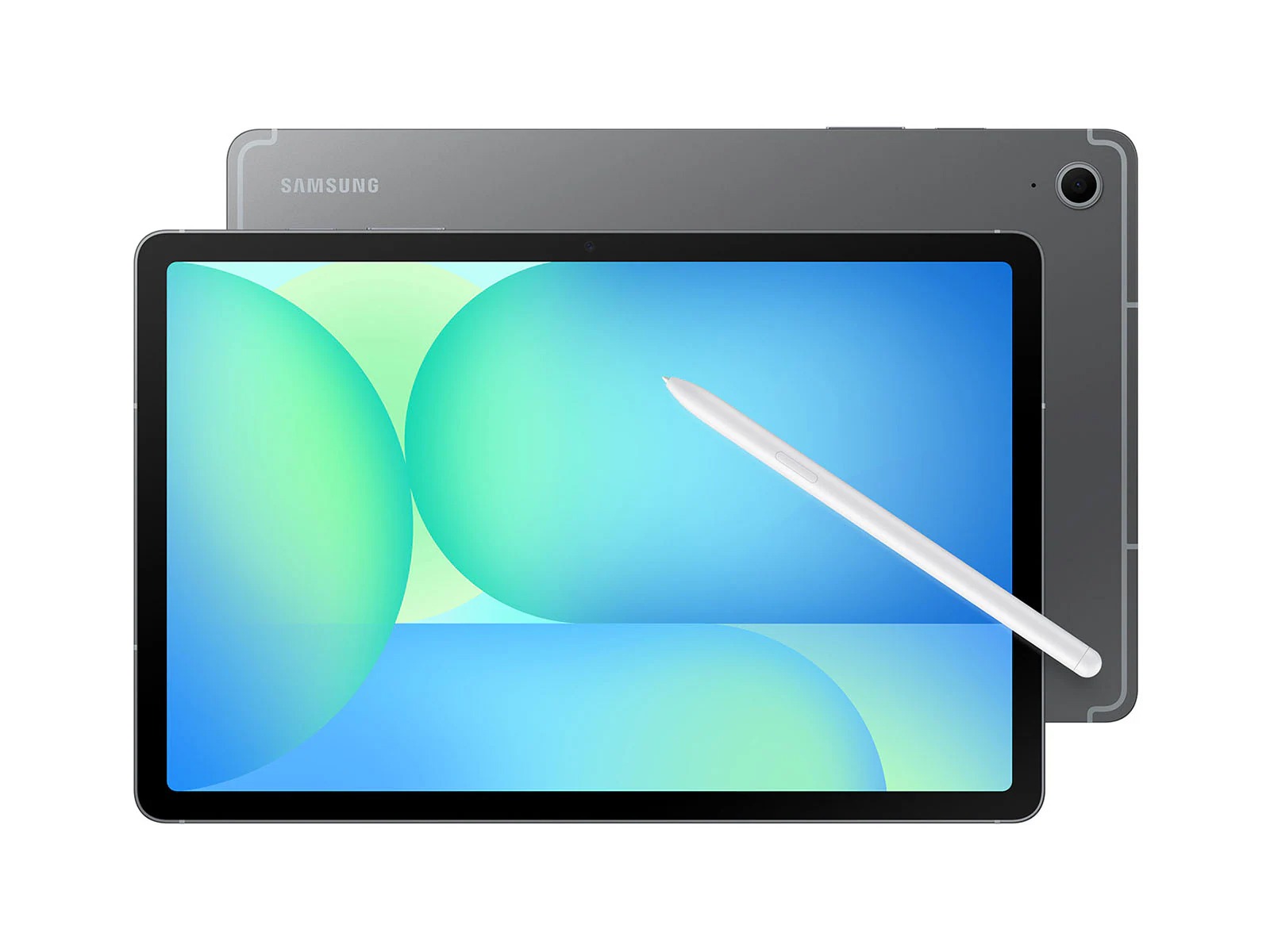

As someone who works from home, you might not think I would benefit from a tablet all that much. If I’m at my regular computer all day, what on earth could I use something designed for mobile productivity for?
Well anyone reading this who does or has worked from home can attest to the fact that sitting in one place day-in and day-out is the quickest way to drive yourself absolutely insane. Getting out of the chair and finding a different place to work on a regular basis is so important when working from home. Heck, even just moving from the desk chair to the couch is a huge improvement sometimes. I can’t do everything from a tablet, but there are a few things I most certainly can do, like research, write and draw.
Some time ago I wrote a review for an iPad, and I was very impressed with the thing. Before trying it out I was a major skeptic of the utility of a tablet, as they always felt a little forced to me. Like the tech industry was just trying to push one more gadget on us and convince us it was a necessity. After trying out tablet life, I’ve completely changed my tune, and now I’m looking for the best of the best in terms of function, value and quality. The iPad has two of those categories on lock with excellent functionality and a build quality that is one of the pillars of the entire brand’s identity. Value, however, is not one of their strong suits. There are a ton of tablets out there, some general, some hyper-focused on a specific use case, and all interesting in their own right. While I plan to review more of these down the line, I wanted to take a peek at one of Apple’s most notorious competitors, Samsung.
No One Android Rules Them All
So, Android tablets are an interesting product category. While they all run on android, the interface and tuning are fairly different from device to device. It’s a much more open and flexible operating system than Apple, which is generally identical across all their devices. Also, Android is far from brand-specific when it comes to the hardware it runs on, so you can find the OS running on tablets from Samsung, Lenovo, Google and even Wacom! There are so many options in this realm it is hard to choose. Even once you land on a brand, the options within each are usually pretty varied. Wacom and the other art-specific brands are the exception, generally only having screen size variations within their tablet lines. Samsung is the worst on this front, the Galaxy Tablet line along boasting a long list of sub-types to pick from.
In the Galaxy line alone, there is the:
- Galaxy Tab S10
- Galaxy Tab S10+
- Galaxy Tab S10 Ultra
- Galaxy Tab S10 FE
- Galaxy Tab S10 FE+
- Galaxy Tab S10 Lite
- Galaxy Tab A11+
- And the Galaxy Tab9+
That’s a lot to take in, so let’s lean in and figure this all out. The Tab S10 is the standard current generation model. It’s their high-end tablet at the standard, and the “+” model is the larger, slightly more capable version. If you want the best of the best in that line, the Ultra is basically the S10+ with every option, the best processor, the biggest brightest screen and everything else they can add to match Apple’s general price point. The FE models are their mid-range. Highly capable in their own right and perfectly well put together, they have slightly less powerful processors and lower screen resolutions than the standard S10 line. They are the real competition with Apple, as their price point is much more palatable than the iPad’s similarly mid-range option. The Lite is the smallest and most performance compromised model in the S10 line, the lowest-end option. The A11+ and A9+ are even more simplified and stripped down than that, coming in as their lowest-priced option and meant very much as an entry-level tablet. The 11 and 9 refer to the size of the screen.
So, that’s just the Samsung tablet line and that’s just the most current and up-to-date line. Pretty wild, right? But that all stands to explain why I chose the Galaxy Tab S10 FE. I wanted a real value experiment to see how the mid-range option compares to the iPad I already have, so let’s put them head-to-head! This won’t be a raw specs breakdown, it will be a “how it feels” measurement.
I’m not going to be completely unfair to the Tab though, so I want to give you a couple of side-by-side differences between this and Apple’s mid-range iPad, the iPad Air 13-inch. First and most important for my uses, the stylus. Galaxy’s much applauded S Pen does come with the FE, as it does with many models in the S range. The iPad does not. The cost of the Apple Pencil alone is a massive problem when you compare the two tablets. Next is the refresh rate of the screen. 90hz for the FE and 60hz for the Air. If you’re drawing on a tablet, you need a good screen refresh rate to avoid stutter and artifacting, so this is huge. Finally, the FE is water resistant up to IP68, the iPad is notoriously not water resistant at all. Honestly, those details alone are enough to point me at the Samsung, but we’re comparing the mid range Galaxy to the top-of-the-line iPad.
Head-to-Head with the Best
This tablet is a bit of a wonder to me. Usually, you can look at the specs and pick which one will feel best right off the bat, but honestly, I kind of like my cheaper Galaxy better. The iPad is a sleek, simple machine that runs Procreate, Affinity and Final Cut. It’s powerful, the M4 processor really living up to its reputation, but the clean refresh rate and comfortable S Pen makes drawing feel wonderful. There is just enough drag on the screen to feel like drawing on a paper-like surface, especially if you’re already used to writing on glass. Then there is the desktop mode, called DeX. iPad has a desktop mode too, but it’s still janky and hard to navigate. The Galaxy’s desktop mode really feels like a regular computer with expandable windows, natural feeling file navigation and the ability to expand onto external monitors easily. That’s the real finishing blow for me, but there’s more to look at here so let’s dig in.
On the iPad I can run more programs at once and have larger files open and active when drawing. That is huge. The stronger processor really shines here. If Android’s art app offerings were better I might call this a TKO, but honestly, Procreate and Affinity are too good to ignore. The pre-installed Clip Studio on the FE is a BIG win though, as that’s my preferred illustration program already. Apple also has a knack for lasting longer and having more peripherals and cases, so there is that, but I’m not terribly picky about those sorts of things with a tablet, so I’m not going to let that affect my call here.
In the end, I’d say the FE stands above the iPad simply on the grounds that it is a close second to the iPad in terms of performance, while costing less than half as much at $588.49, especially when you take the stylus into account. I’m giving this one to the Galaxy FE.
TL;DR Specs for the Skimmers
Here are the specs for this capable little tablet for those of you who just want the facts.
- 10.9-inch LCD
- 2304 × 1440 (WUXGA+)
- 90Hz
- Samsung Exynos 1580 Octa-Core
- Xclipse 540 GPU
- 8GB or 12GB RAM
- 128GB or 256GB
- microSD support up to 2TB
- Samsung S Pen
- 13MP
- 12MP Ultra-Wide
- 4K at 30fps
- 8,000mAh
- Up to 45W
- Wi-Fi 6E, Bluetooth 5.3
- USB-C
- Android 15 / One UI 7
- IP68 (tablet and S Pen)
- 254.3 × 165.8 × 6mm
- 497g
Final Thoughts
This is a good clean win for me. I really enjoyed the FE, and while it is a compromise in some ways, the cost makes this tablet a steal. I almost wish I had gone with this first, but I will certainly be using my FE as often as I can. I give this one a strong recommendation!
About the Author:
George Berger
Ever since a young George was disappointed with a toy that did match up to the advertising, he became a tireless advocate for consumers. He’ll review anything that folks have to spend their hard-earned dollars on. George is grateful that he gets to use his skills as a writer and an artist to help connect with consumers and help them make the best decisions possible.
This article is for informational purposes only and reflects the author’s independent opinion. Readers should verify details directly with the manufacturer or retailer before making a purchase decision.